Do you need a design coach or design resource to help with: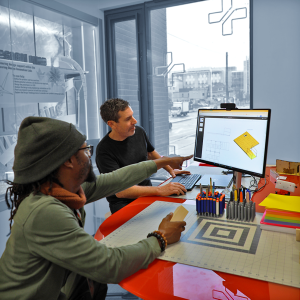
- design process
- brainstorm sketching
- 3D modeling
- engineering calculations
- FEA
- design for fabrication
- testing
We offer* free, short meetings to help you on any design challenge or preparation to fabricate, or fee-based design, CAD, and fabrication services and project management.
Schedule a design consultation or book time to meet with Jesse in Room 203 of Wendt Commons (Makerspace)
*We primarily serve the UW College of Engineering including undergraduates, grad students and PIs but offer fee-for-service to the entire UW Madison community.


Design Tips
Identify and Burn Down Risk

Your job as a designer is to create something desirable for the user and also make sure it works. Figure out what scares you about an approach and then design a prototype, an analysis or a test that can see if you can eliminate the fear. Keep doing that until you feel you’ve burned down most of the risk in your approach. Don’t be afraid to share your work in progress and get different opinions or raise new concerns. It’s always easier to fix them early.
Know the physics: a good concept has a math model associated with it that gives you confidence your approach will work.
Consider Multiple Options
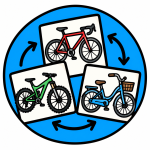
During your concept phase and even during early engineering phases designing in parallel allows you to avoid dead ends. It also lets you compare concepts and then either combine elements of each or be confident you have found the best of a few options.
Keep Moving and Make Decisions
Trust your gut. Gather and analyze data you need. But don’t stop. If you feel stuck, ask for help or consider a different path.
Build to Learn
Prototyping will reveal issues. It will solve problems. It will spark new ideas. Prototyping is key to the core of Design Thinking or any iterative design process of Design-Build-Test.
Build Schedule Backwards

You are already running out of time. If you are working on a class project, you know your deadline. You know your other commitments (holidays, other classes). Set some clear milestones and realize you probably should already have built and tested your concept.
Make Necessary Tradeoffs

In class projects you are often constrained by budget and by time. There is a saying, “You want it fast, cheap and good. Pick two.” Your professor has forced you to make it fast and cheap. Now you have to see how “good” it can be. Remember to keep moving, iterate as many times as possible, make quick decisions. This gives you a better chance of finishing and finishing something you are proud of.
Using a baseball analogy, attempt to get on base with a walk or a single. If you try to hit a home run, you will likely strike out.